Skip to content

Opening soon: browse the range now, orders open at launch

CSE Keyboards

06 / 06 · The prototype

The prototype: built from scratch

The wireless keyboard built for the bachelor thesis: how it was designed, what was measured, what went wrong during the build and how it was fixed.

Project goals

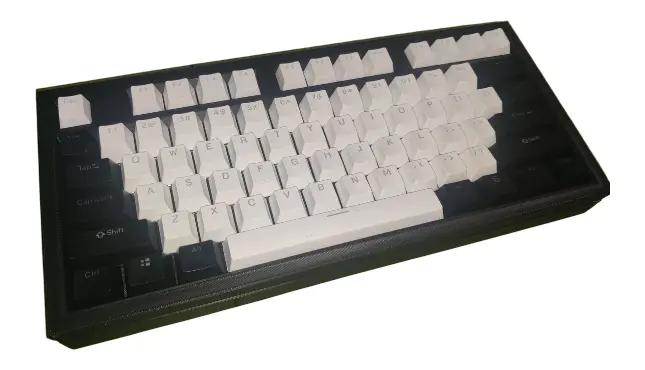
The finished prototype

The aim of the thesis was to design, build and validate a working prototype of a wireless mechanical keyboard with low power use, based on the nRF52840 and Bluetooth Low Energy.

The project ran in successive sprints (an Agile approach), each with a clear goal, such as validating the power circuit or the matrix scanning. That way each part was tested and improved in turn.

The five objectives

  1. The PCB, in Altium Designer

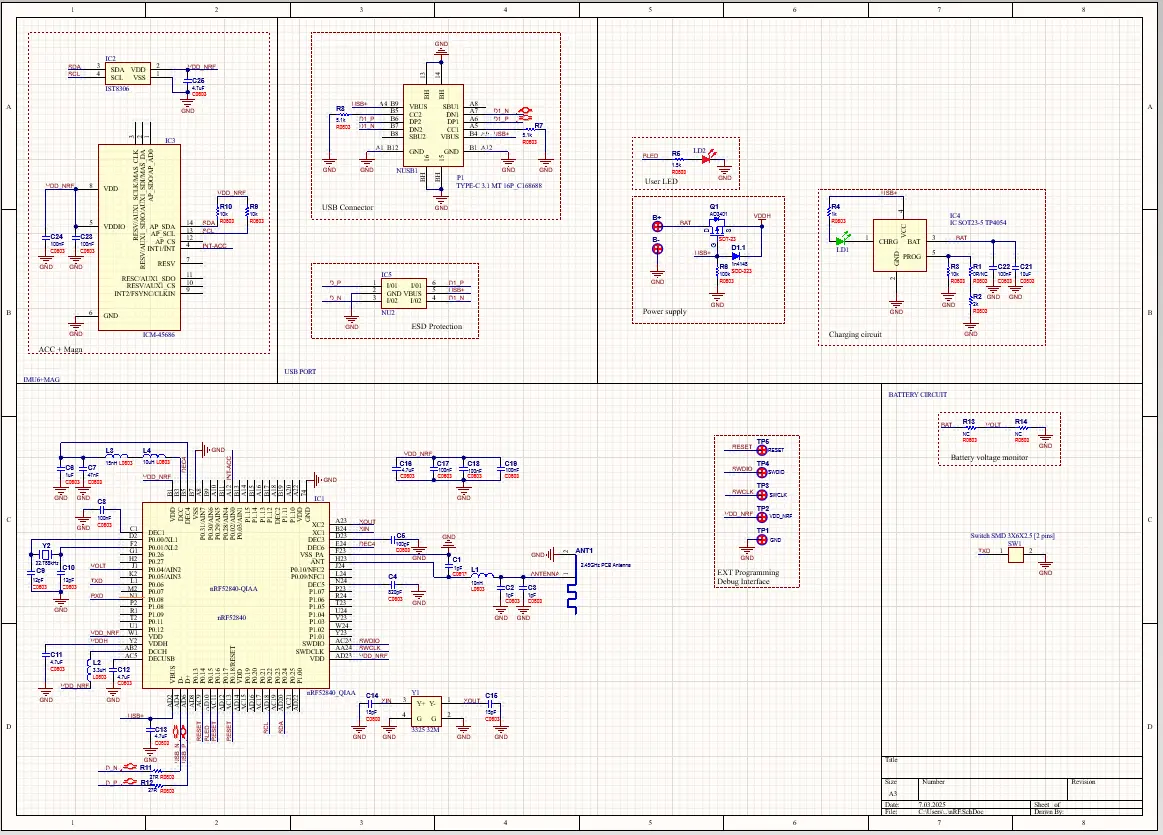
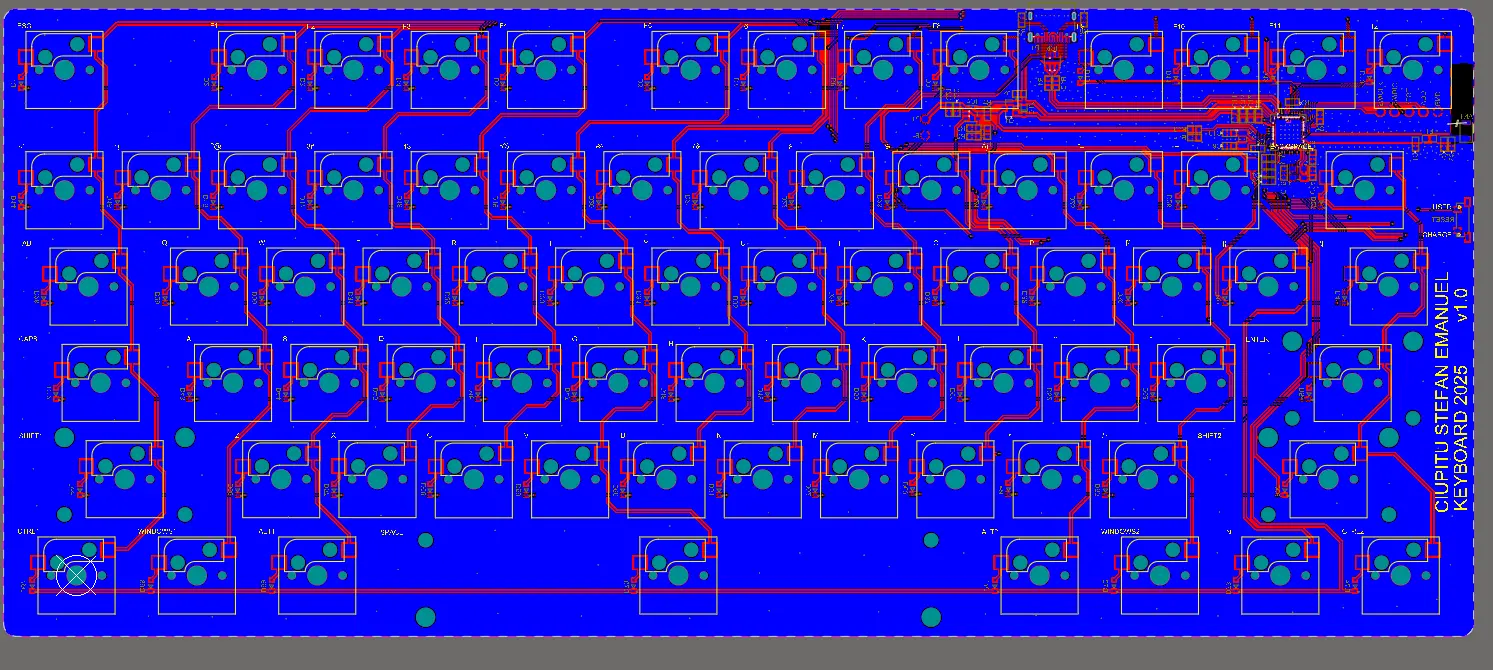
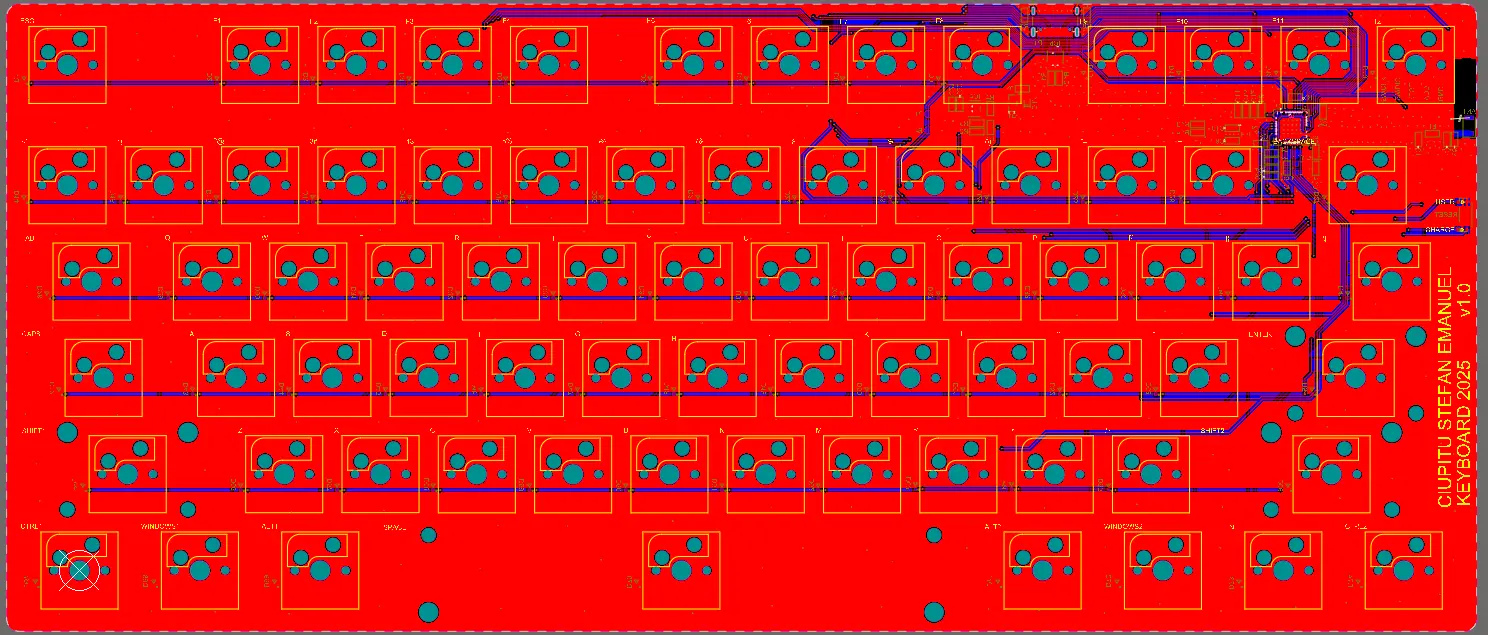
    The schematic and board layout: the key matrix with diodes, the nRF52840, battery charging, the 3.3 V regulator and the USB-C connector. Finally, the manufacturing files (Gerber and drill).

  2. Case and plate, in Fusion 360

    An ergonomic case with room for the PCB and battery and a cut-out for USB-C, plus the mounting plate that holds the switches.

  3. The wireless link

    Bluetooth Low Energy with the HID over GATT profile, pairing and bonding, and connection settings tuned between latency and power use.

  4. The ZMK firmware

    A keymap with several layers, macros and combos, deep sleep and battery level reporting.

  5. Assembly and testing

    Making the parts, assembling them, and full hardware and software testing.

From the thesis, chapter 6.1, 1.2, 1.3, 1.2

The electronics

At a glance

PCB layers
2
Matrix
6 × 14
6 rows and 14 columns, only 20 GPIO pins
Diodes
1N4148WS
One per switch, col2row direction (column to row)
Microcontroller
nRF52840
In a nice!nano v2-compatible design
Battery
Li-Po 3.7 V, 2300 mAh
Connector
USB Type-C
Charging and, optionally, serial communication or flashing in DFU mode
Switches
MX
Linear in the prototype; the board accepts most MX-style switches

Battery life: an estimate

The large battery capacity was chosen on purpose. Calculations with the ZMK Power Profiler, which models active, idle and sleep consumption, gave a theoretical battery life of up to a year with average use. It is an estimate, not a measurement.

The keyboard can send its HID report two ways: over USB when plugged in (lowest latency, and power), or over Bluetooth Low Energy when used wirelessly. Either way, the computer recognises it without drivers.

In the firmware, the microcontroller pins were tied to the matrix rows and columns through a ZMK “shield” described in DeviceTree: columns as outputs, rows as inputs, with the col2row diode direction.

Full schematic in Altium Designer
PCB layout, top copper
PCB layout, bottom copper

From the thesis, chapter 1.3, 3.1, 3.3, 3.3, 3.2, 4.1, 9.1

The 3D-printed case

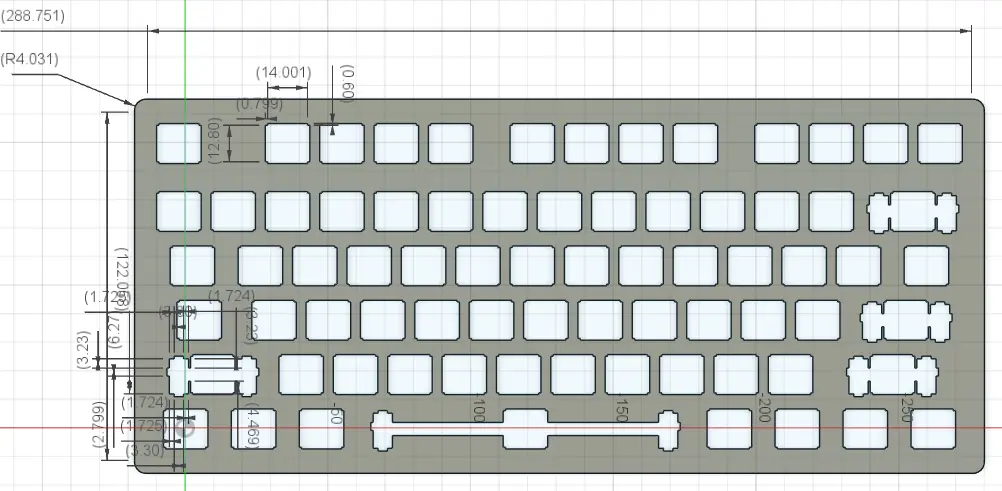
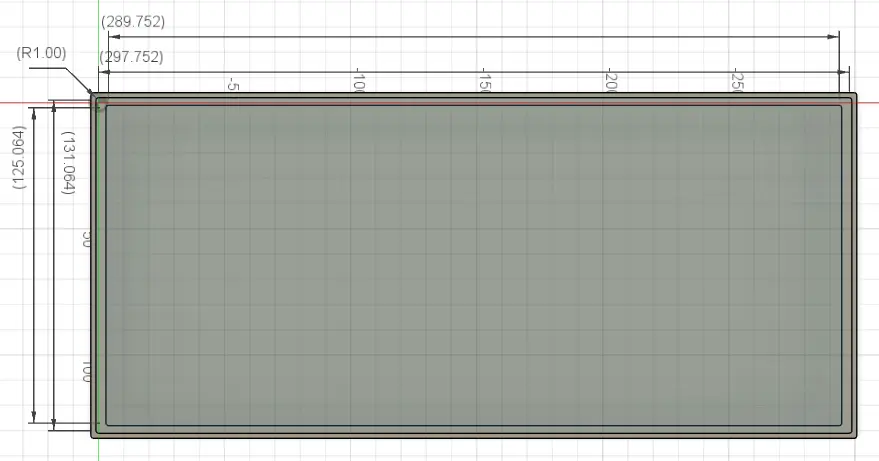
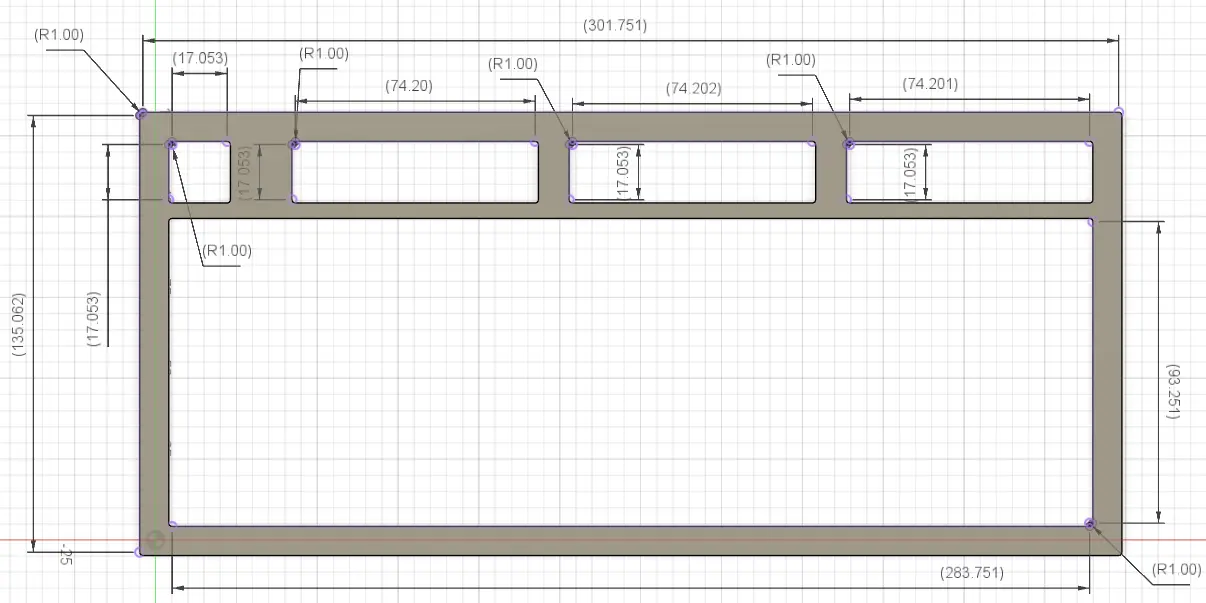
The outer case and the mounting plate were drawn in Fusion 360. The 3D model of the PCB was imported straight into the design so everything would fit, allowing for tolerances, room for the battery and the USB-C cut-out.

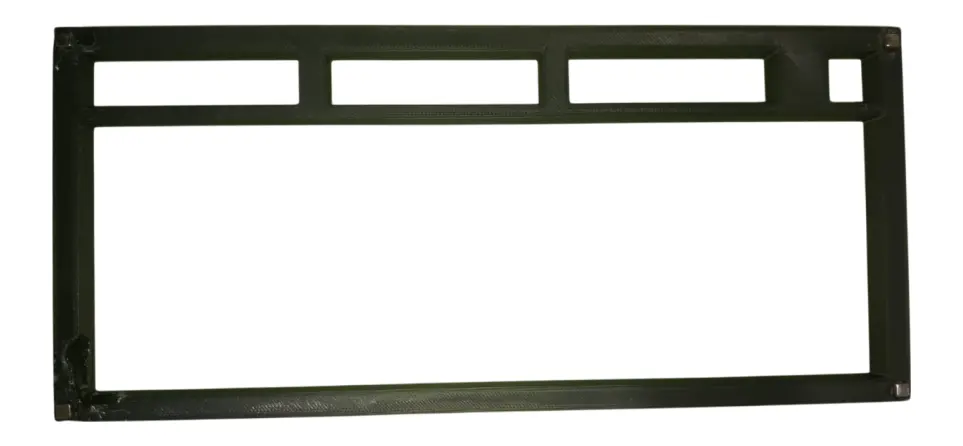
The assembly was designed for FDM (Fused Deposition Modeling) 3D printing: the parts were oriented for maximum mechanical strength and as few supports as possible.

Fusion 360 drawing of the plate
Fusion 360 drawing of the bottom case
Fusion 360 drawing of the top frame
The top of the 3D-printed case

From the thesis, chapter 1.3, 9.2, 6.2

Tests and results

Hardware tests

  1. Power supply

    A multimeter confirmed a stable 3.3 V at the regulator output and the right voltage at the PCB test points.

  2. The microcontroller

    A “Blink” test firmware, loaded over SWD, showed the processor running and the GPIO pins responding. An oscilloscope checked the external 32 MHz oscillator, vital for the radio.

  3. The key matrix

    A scanning firmware sent a unique code over the serial port (UART) for every key pressed, validating every contact and trace.

  4. The radio

    The keyboard sent advertising packets and the nRF Connect for Mobile app picked it up, confirming the antenna and radio circuit.

Software tests

  1. Keymap and layers

    An online tester confirmed that every key sends the right code, with attention to modifiers (Shift, Ctrl) and layer switching.

  2. Bluetooth

    Successful pairing on Windows and macOS, a stable link for hours, quick switching between devices and automatic reconnection after a drop or after stand-by.

  3. Power saving

    Left alone, the keyboard goes into deep sleep and wakes instantly on the first key press.

What was measured

USB latency
4 ms
250 Hz polling rate
Bluetooth latency
32 ms
31.25 Hz polling rate
Rollover
11KRO
Up to 11 keys held at once, with no ghosting

What it means

Over the cable, 4 ms means practically no noticeable delay: the ideal link for competitive gaming. Over Bluetooth, latency is eight times higher because the keyboard reports less often to save battery; it suits office work and browsing but is not recommended for serious gaming. With 11 keys at once, rollover covers practically any combination, since you only have ten fingers.

From the thesis, chapter 5.1, 5.2

Problems and fixes

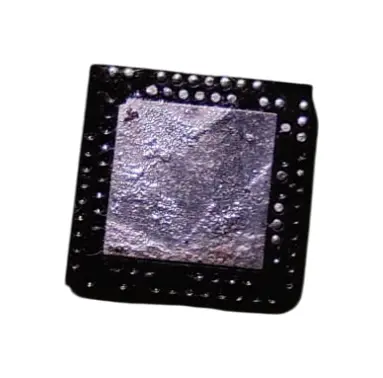
The nRF52840 recovered from another board, pins broken off

Recovering the microcontroller

The nRF52840 was recovered from another development board. Its pads are hidden under the package, so a hot-air station was needed to melt them all at once, or the part would have been destroyed. After that, the tiny components took fine tweezers and a lot of patience.
Diodes too big

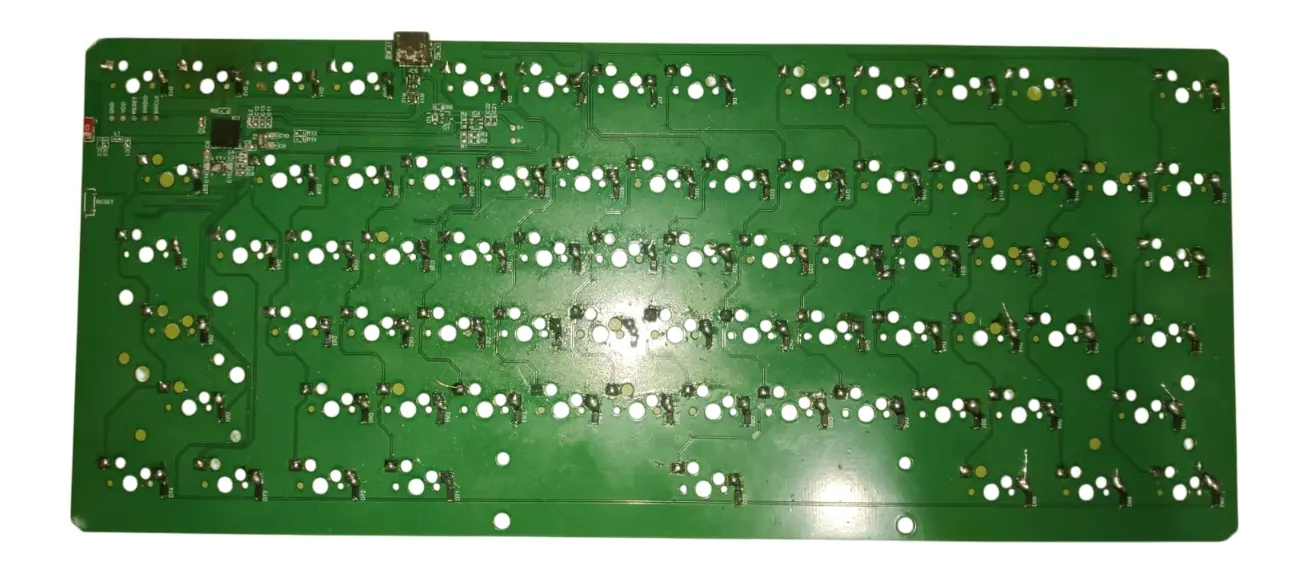
The diodes ordered were physically larger than their footprint on the PCB. Rather than waste the work or wait for a new delivery, they were mounted upright and connected with thin wire. Not the tidiest fix, but it works perfectly.

Corners lifting while printing

Being a large, flat part, the case warped: its corners lifted off the bed. The printer settings were adjusted and a sacrificial brim was used, so the part stayed stuck down and came out flat.

A hidden cold solder joint

After assembly some keys did not work. Every trace was checked with a meter until a hidden cold solder joint turned up.

Screw holes that did not line up

The M2 screws would not go in, because small print imperfections had misaligned the holes. Rather than risk cracking the plastic, small neodymium magnets were fitted at key points: the case closes perfectly and opens easily for maintenance.

The assembled PCB
The assembled PCB

From the thesis, chapter 6.2

What comes next

The prototype proved the concept and could become the basis for a whole range of products. The thesis suggests a few concrete directions.

CNC aluminium case
A premium version, with an internal antenna optimised through radio-frequency simulation (e.g. in Ansys), so the wireless link stays flawless even in a metal case.
New hardware features
Per-key RGB lighting, a small OLED screen for status (Caps Lock, active layer, notifications) and a rotary encoder for media control, such as volume.
Other sizes
Tenkeyless (TKL) and full-size (100%) versions, for people who need more keys.

A graphical configurator

ZMK is very powerful, but changing the keymap takes technical knowledge. A graphical configurator, like VIA or VIAL, where you remap keys and build macros intuitively and in real time, would make the keyboard far more accessible.

From the thesis, chapter 6.3, 6.3, 7.2, 7.2

Written from Ștefan-Emanuel Ciupitu’s bachelor thesis “Wireless multifunction keyboard using the nRF52840 module” (Suceava, 2025).